
In development · iPhone, iPad, Android, Windows
Your band.On thesame page.
Prepare your charts and arrangements, then lead the band live—with shared song position, click and spoken cues.
For music directors and musicians.
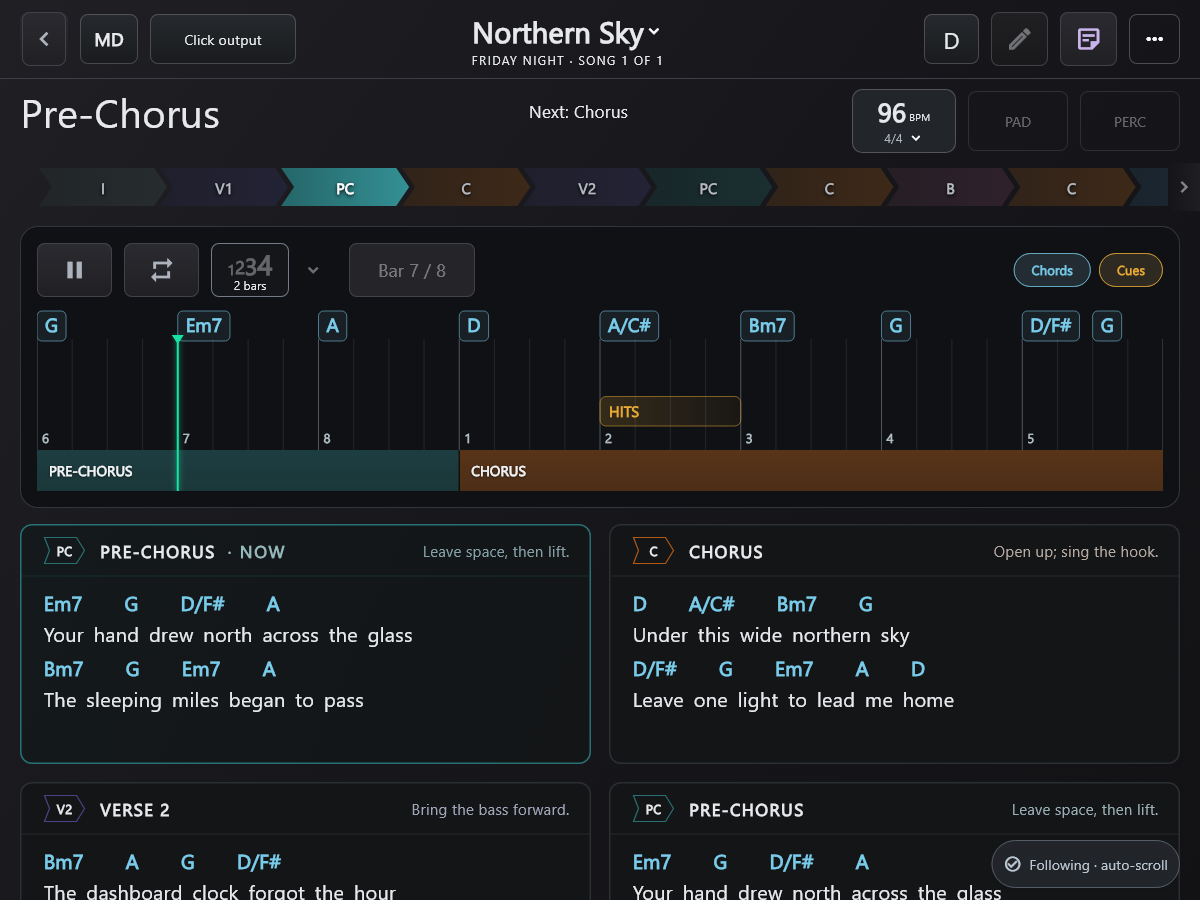
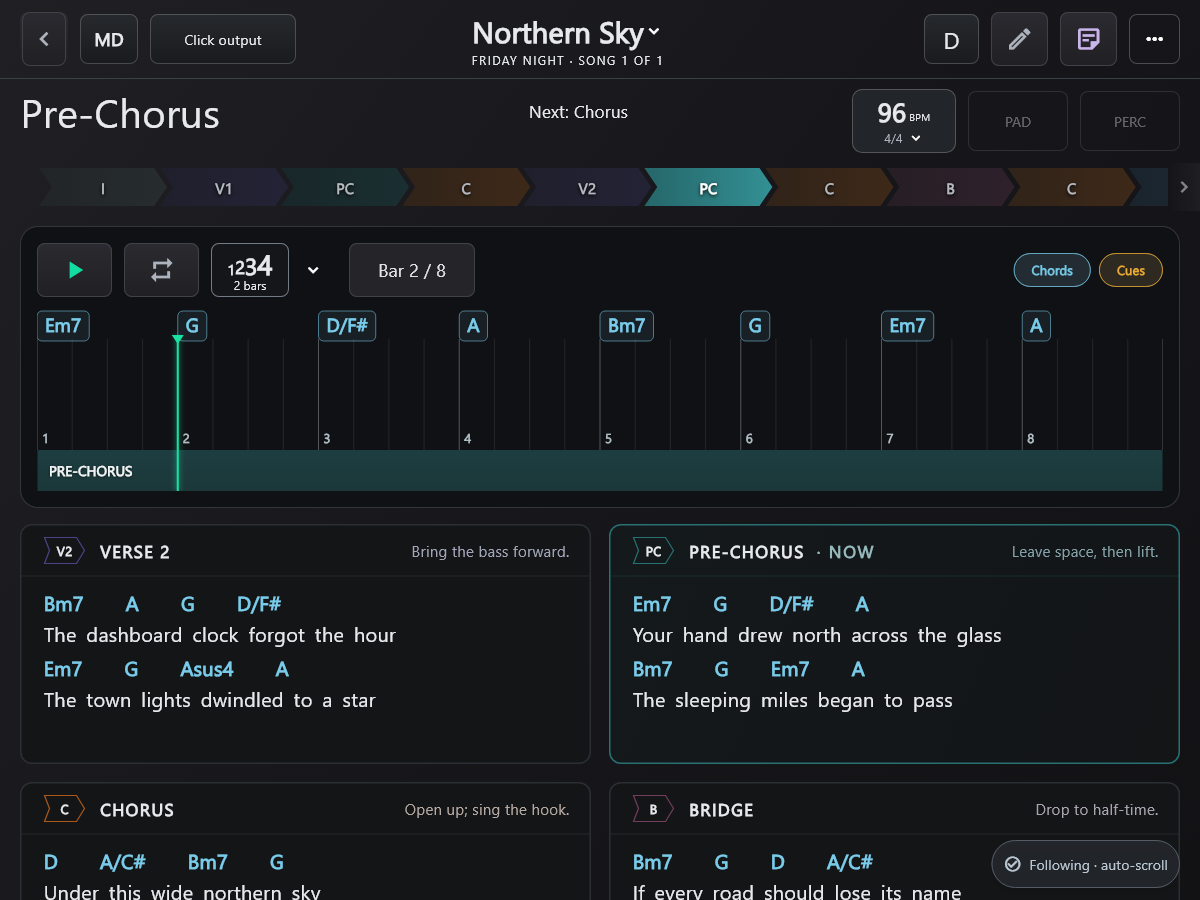
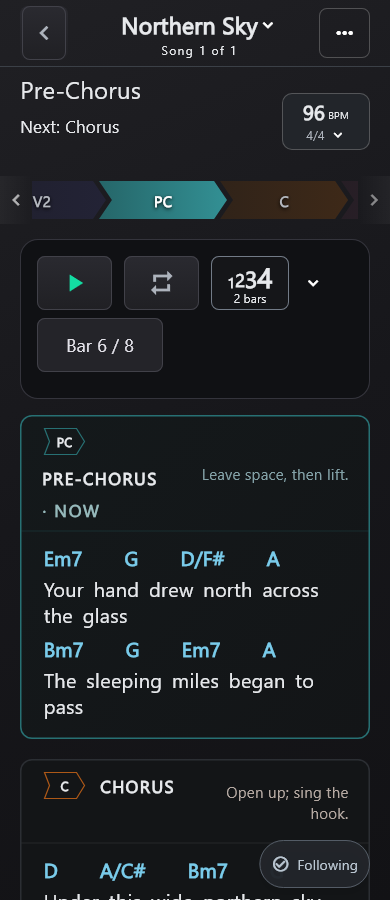
Pre-Chorus playing. The Chorus is next.
THE BAND FOLLOWS YOUR LEAD
Add the cue.
Bring the band with you.
In rehearsal, the music director (MD) marks the lift into the Chorus: add “BUILD”, choose Everyone, then apply it to the Live Set.
Start with the chart. Add a cue for the next pass.
Click and spoken cues.
A steady pulse and a spoken section name help you hear the next change. Try this short preview with sound.
- Click and Guide levels, set independently.
- Choose a Guide voice and count-in.
A short preview. Sound starts when you press play.
Chorustwothreefour
A four-beat lead-in to the Chorus.
Prepare it. Change it.
Play it.
Bring in a chart, shape the arrangement, then open a Live Set for the band.
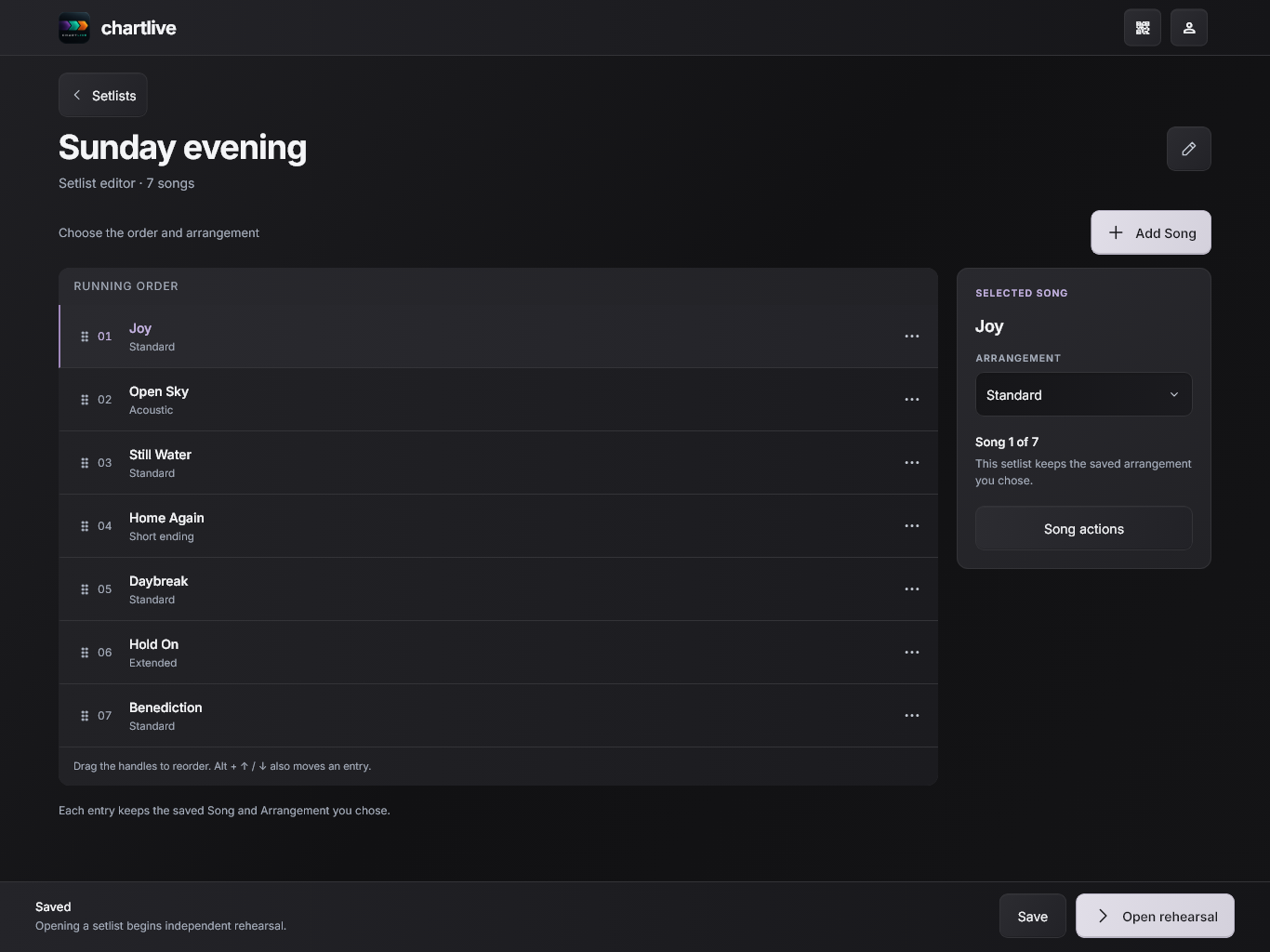
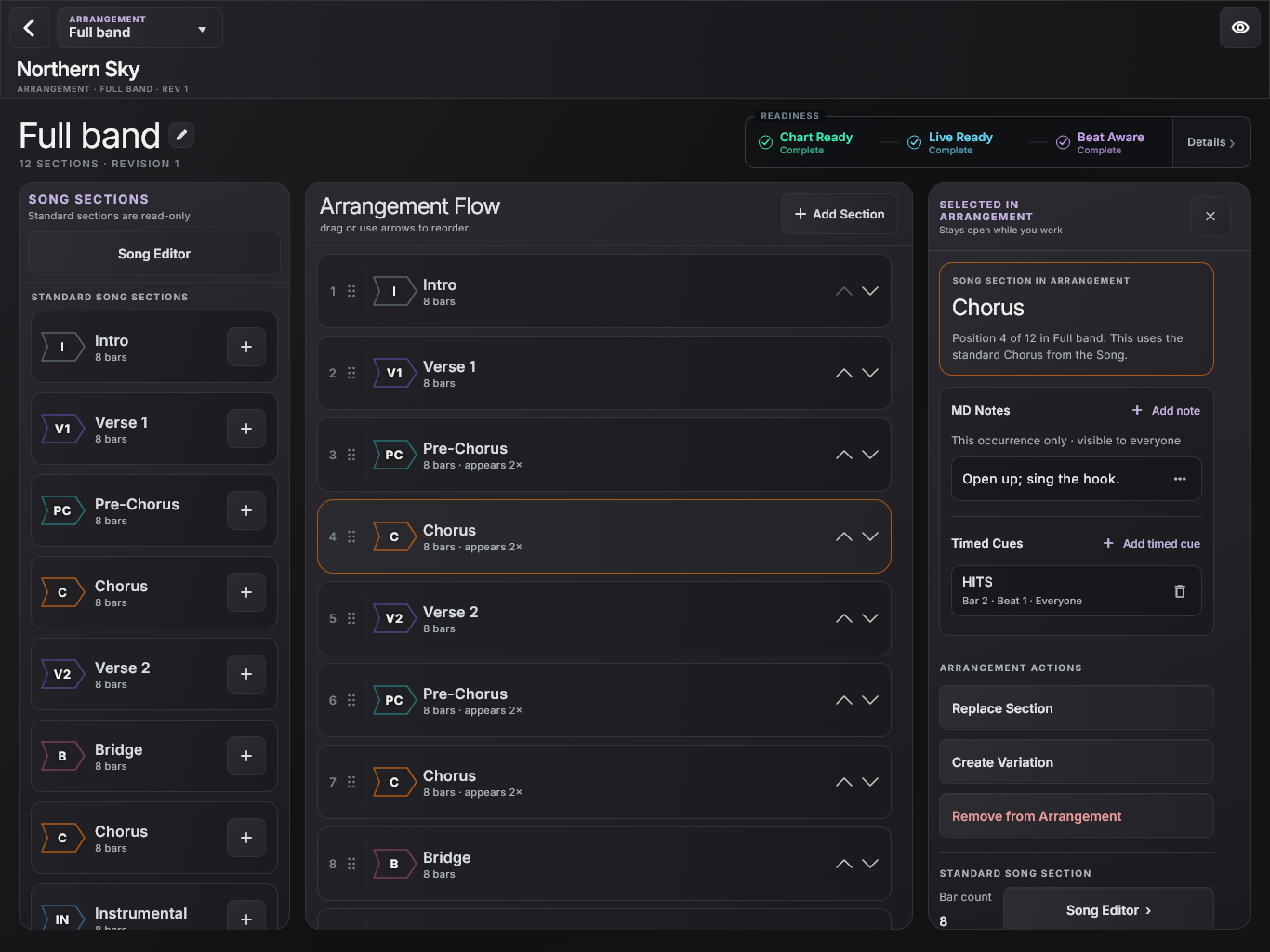
Scan the music director’s invitation to join the Live Set on the same local network.
Start with your charts. Paste text, import ChordPro or bring in a PDF. Review the import before arranging.
Leave room to rehearse. Transpose the song, loop a section or queue the next destination in Live. The music director controls the shared arrangement and sounding key.
A shared arrangement.
Your own view.
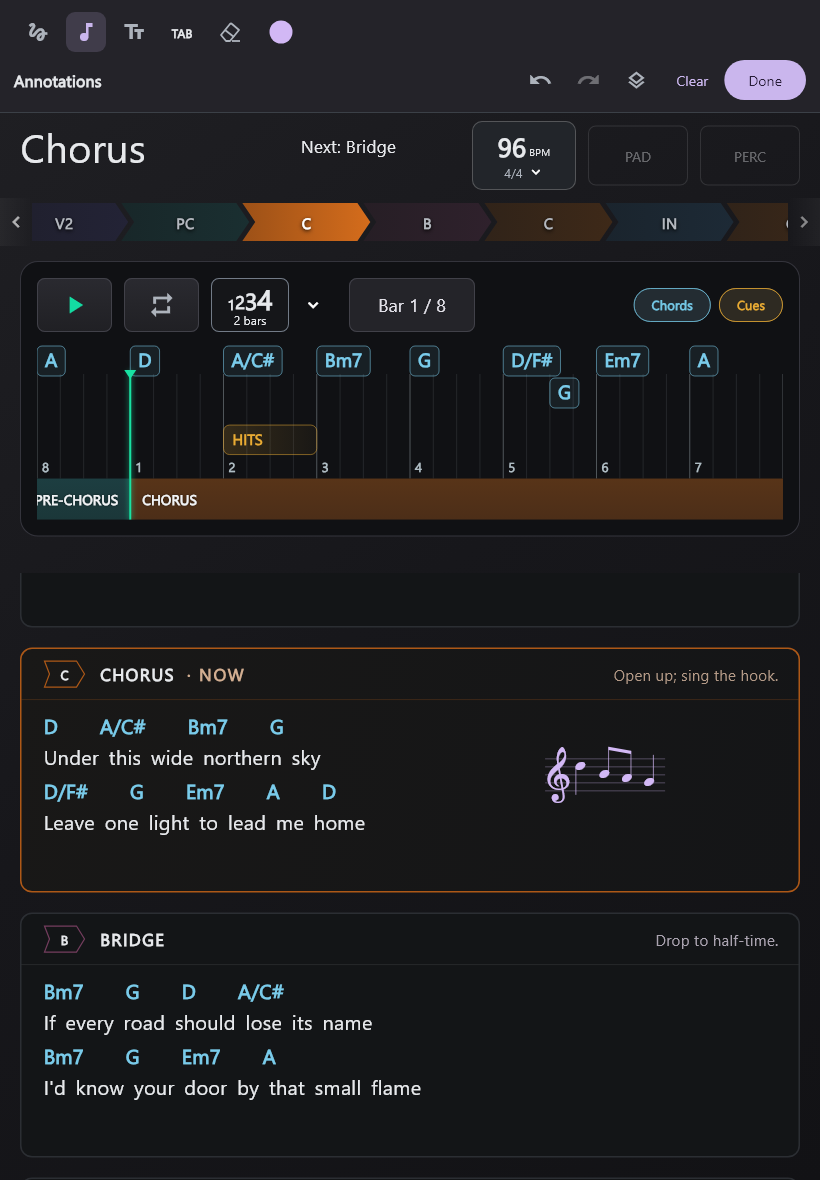
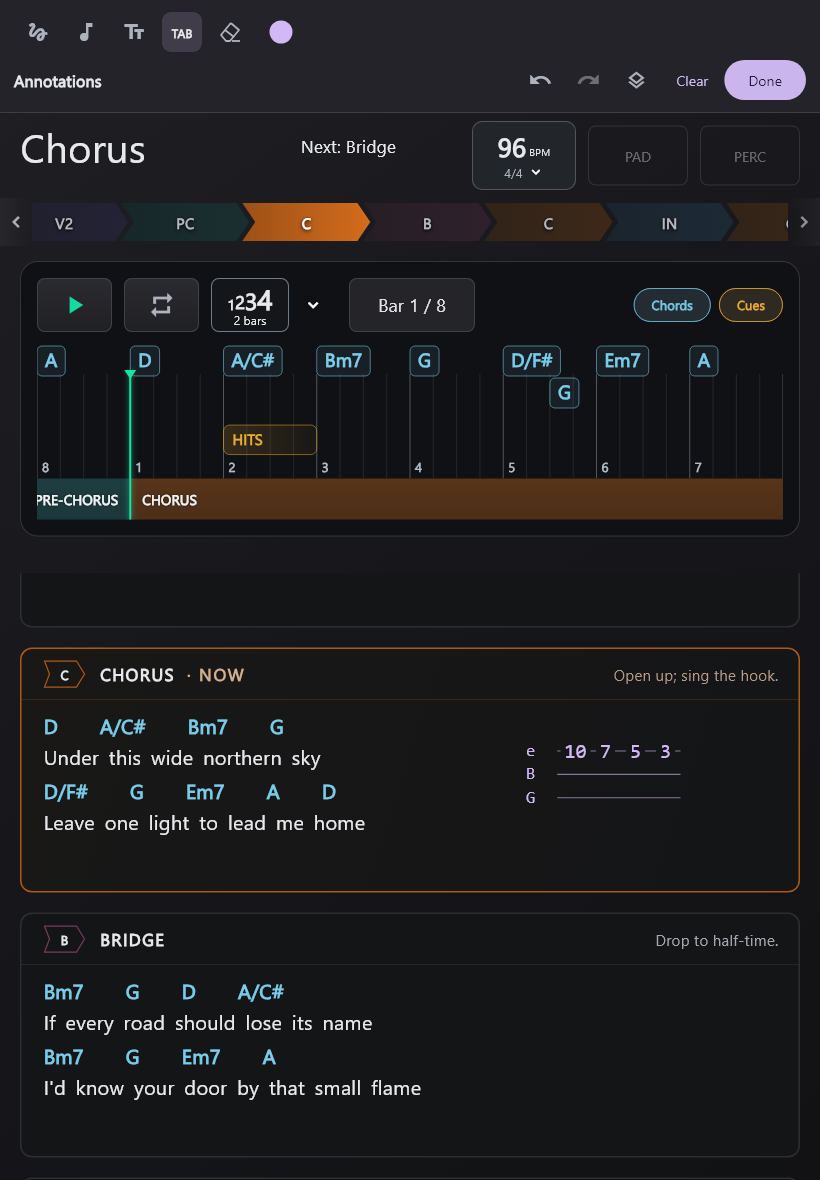
Add private notes, notation and guitar TAB without changing the band’s shared chart.
Make room for your part. Your annotations are stored locally on this device and aren’t shared with the band.
Enter a melody and place the notation beside your part.
Change colours, undo or redo a mark.
Read it your way.
Set your chart size and capo display for your instrument. The music director controls the band’s sounding key.
Find a view that fits your setup.
Being built for iPhone, iPad, Android and Windows, in portrait and landscape.
The practical
details.
Something else on your mind?
Say hello
Can I try ChartLive yet?
ChartLive is in development. Get release updates for release news and opportunities to join early testing.
How does the band connect?
Join the music director’s session using their invitation. Devices need to be on the same local network for Live; internet access alone is not a substitute. Some public or guest Wi-Fi networks block connections between devices.
Can I bring in charts I already have?
Paste a chord-and-lyric chart, import ChordPro, or bring in a PDF. Review the imported structure and chords before arranging your song; source formatting can affect the result.
Will the band see my annotations?
No. Your drawings, text, notation and TAB are stored locally on this device. They aren’t shared with the band or synced between your devices, and don’t change the shared arrangement.
Which devices is ChartLive being built for?
ChartLive is being built for iPhone, iPad, Android and Windows. Release availability will be announced through updates.
Bring your band along.
ChartLive is in development. Get release news and opportunities to join early testing.
You’re on the list. We’ll keep you posted.
Occasional updates. Unsubscribe anytime.